Idea 1:
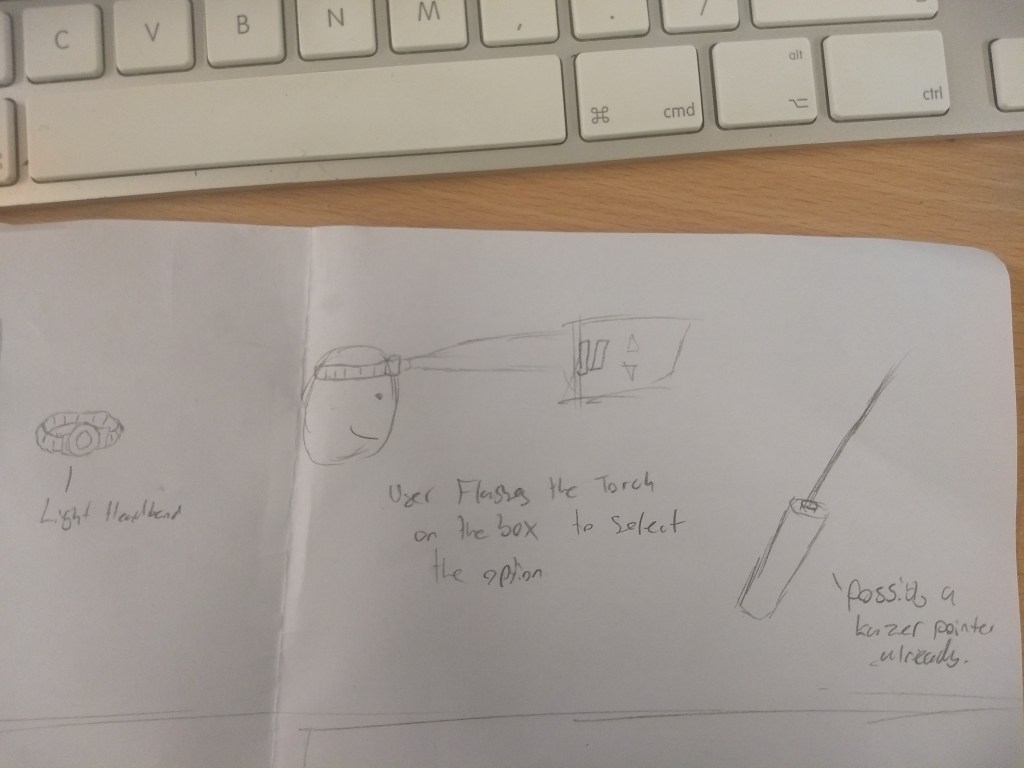
Luckily for this project I gained an idea very quickly. This was to make essentially a box that has symbols with light sensors in that when the user flashes it them with a torch, it would control a video.
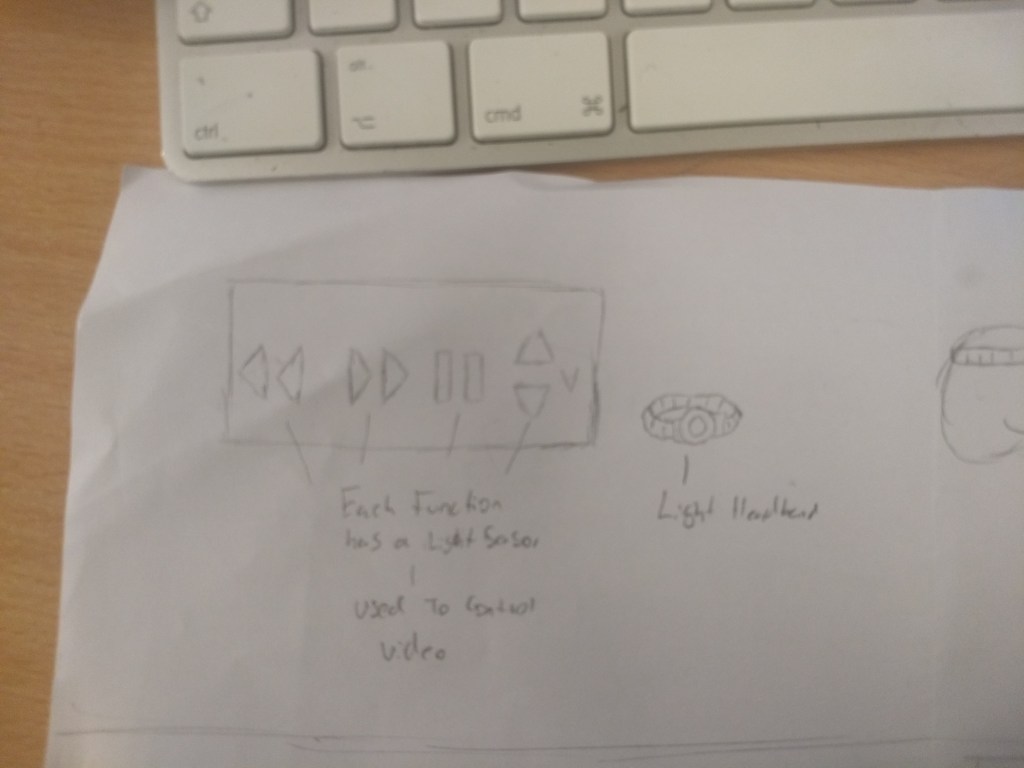
The purpose of this device would be controlling a video without the use of loud buttons, mostly for like watching films in the dark, as then the device would work better under those circumstances, or for if other forms were too far away to interface with.
There are some major flaws with this idea, mainly being that the torches light would get less effective from further away, and it may shine on multiple symbols causing input error.
We have thought about this idea and we think that using a lazer instead of a flashlight would be more effective as the beam doesn’t have light falloff so it remains the same brightness for quite a distance, this makes the product slightly more dangerous as we have to tell people to not shine it in their eyes; however I feel the idea benefits from this change.
Idea 2:
My second idea is a wearable technology that would do on a persons foot and, there would be buttons on the users toes, so that they could interface with music, video or even a game.
The purpose of this device would be, if the user has their hands full or are using them for something else, they could still interface with the computer and control what they were listening or watching.
Their are unfortunately flaws with this idea, the user couldn’t get up and move around with this tech on as they would press the buttons by mistake, and not all people can flex and step on the toes individually so, it wouldn’t be too reliable.
Idea 3:
The third idea was my partners which we then brainstormed together, which was attaching tilt sensors to the sides of the helmet to allow the user to change or manipulate video, this would be completely silent and easy for most people to use.
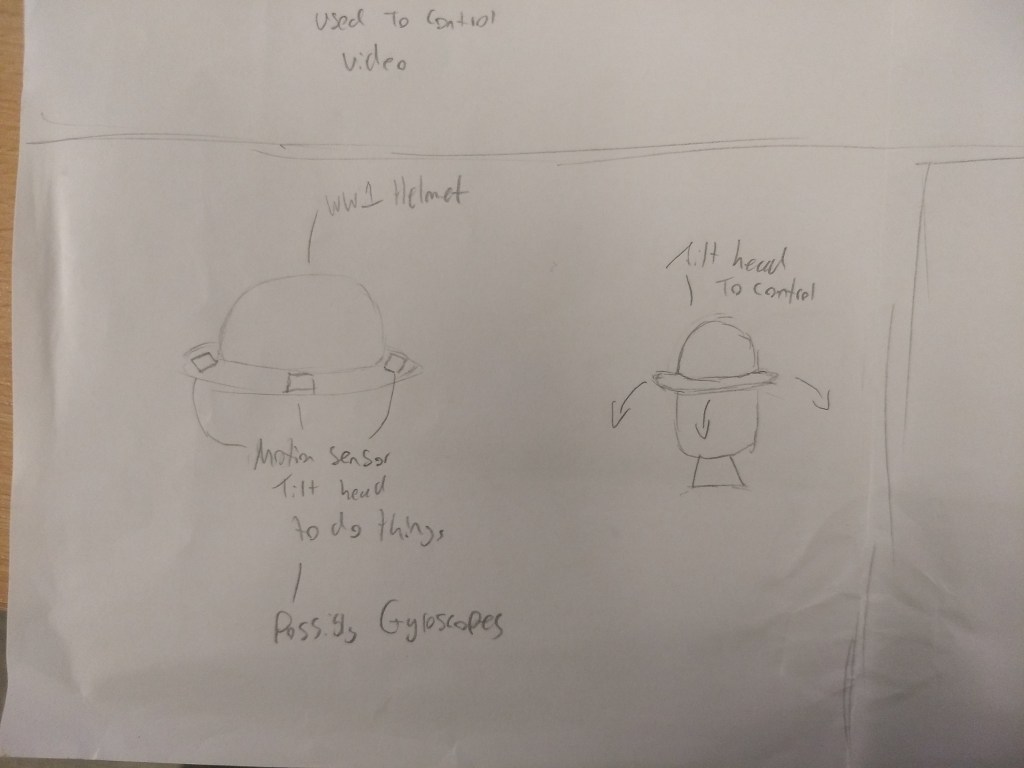
The unfortunately flaws in this idea is that, if its done by tilting the users head, they will have to make sure to be very still when not giving inputs or else they may do something by mistake.
We also thought about different methods for the helmet such a using a gyroscope instead of tilt sensors or ball bearing method as a primitive version of the tilt sensors. The gyroscope was a good choice; however it is very complicated and has to start flat to calculate the rest of the angles to figure out the tilts, as it uses x, y and z co-ordinates to figure out its location, so we’d have to set its base value to figure out what angle it needs.
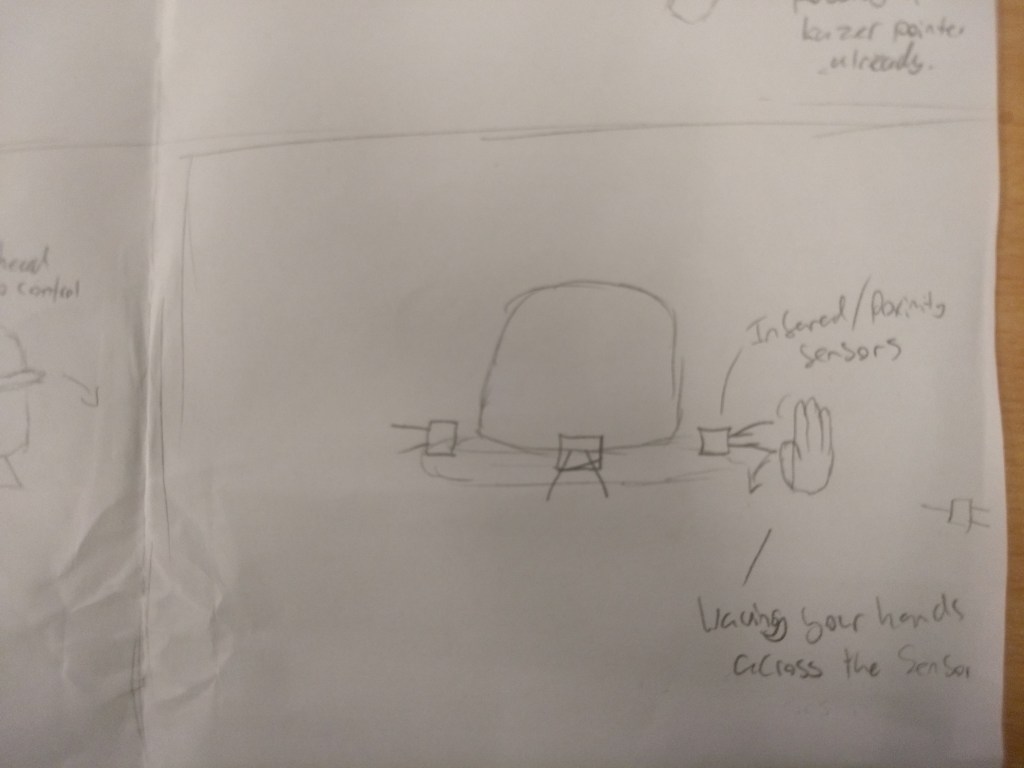
Full idea page:
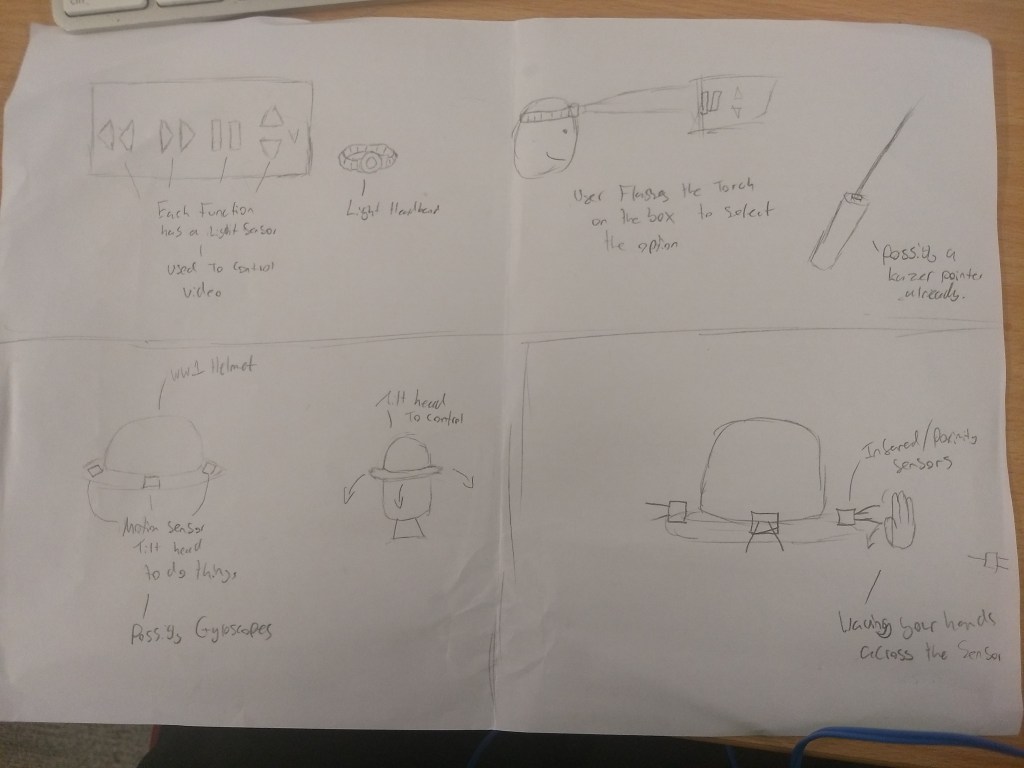
Idea conclusion
In the end we decided to go to the laser idea as we thought it would be the most effective and interesting one to do. It also makes the most sense as it has a purpose of changing videos in darker environments such as if a person wants to watch a film in the dark to get more immersed in the media.
Researching Lazer idea:
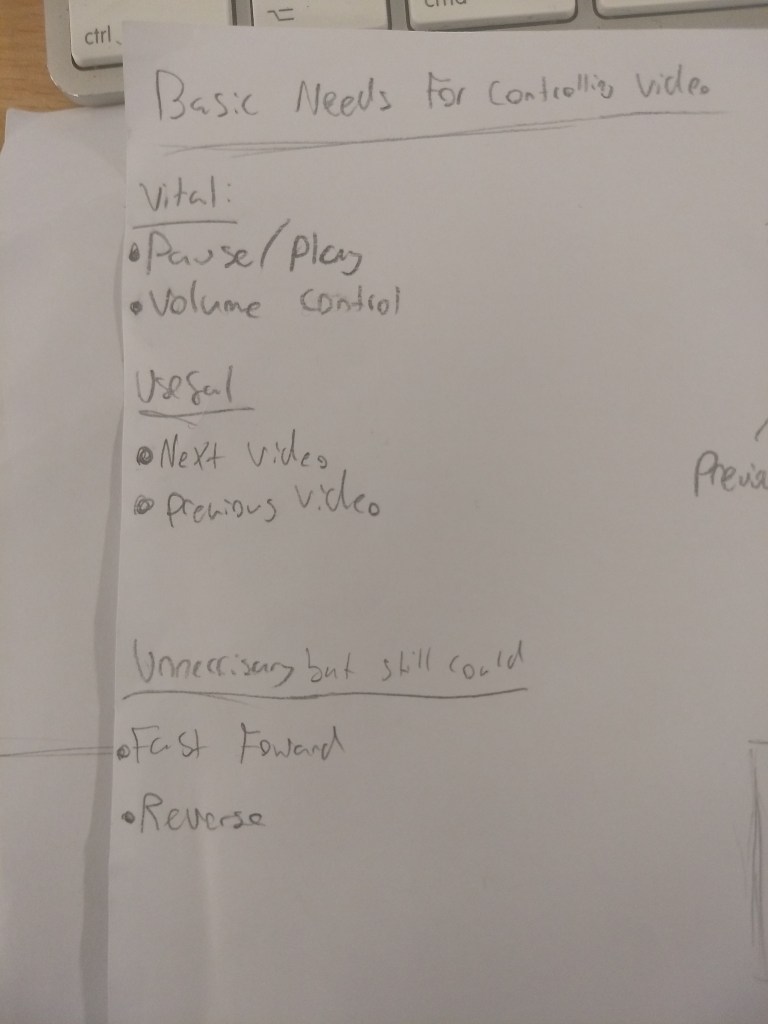
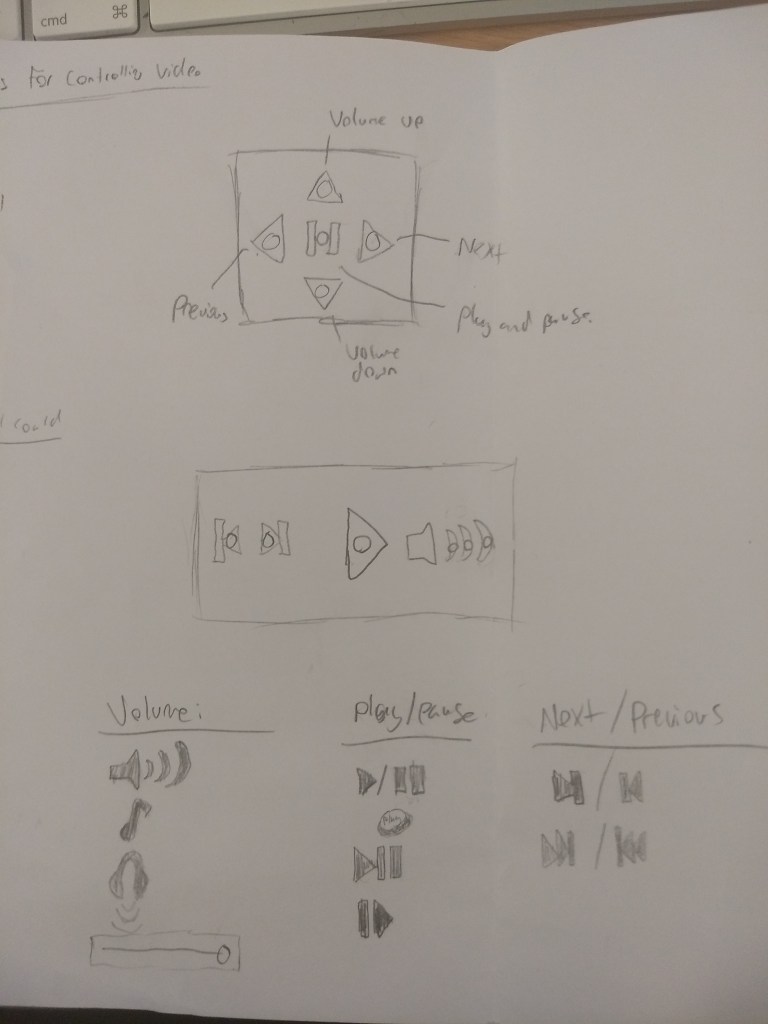
We started the idea by brainstorming how the physical device should look and work. We thought that if the box was going to interact with the computer should be able to control 5 things, pausing the video, turning up and down the audio and going to the next and previous video.
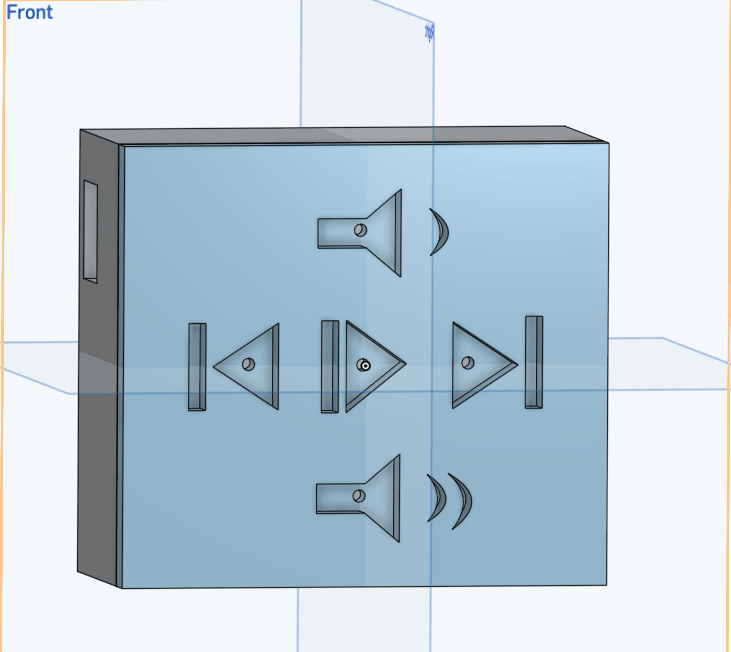
After deciding on the contents I researching into existing symbols, that are synonymous with each action, for example pause and play is almost always either a triangle or two lines. I ended up choosing a line and triangle for pause and play, and arrow and line on either side for next and previous and a speaker with a one sound wave and three sound waves for increasing and decreasing volume.
Developing the Laser Idea:
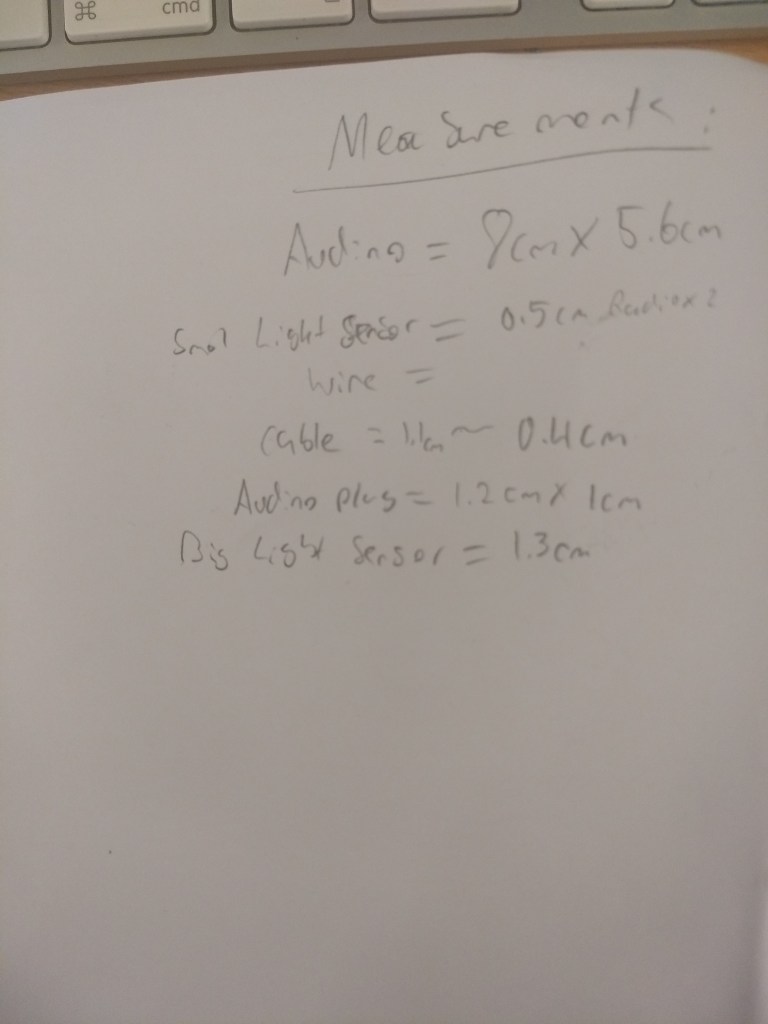
Once the symbols were decided I began making the 3D model of it, i took measurements of the light sensors and the Ardunio to make sure all the measurements are accurate. The design is very simple, basically just a box with some symbols on with 5 light sensors in those symbols. The use of the symbols is so the user knows exactly what will happen when the shine a light into it.
Then was the code, my original idea was to have the Ardunio, basically use a keyboard input to pause, increase and decrease volume and move to the next and previous video, as all of those actions can be used with hotkeys on a keyboard; however, doing something like that, requires an ardunio we do not have access to, so I had to come up with a new plan.
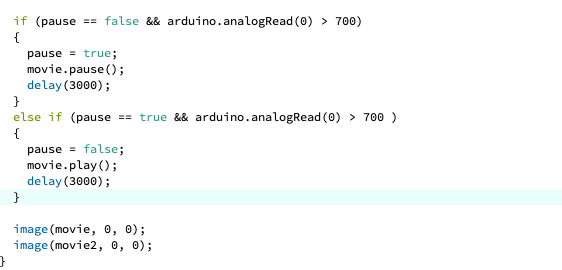
I had to mess around a lot with getting it to work as the light sensor is a little finicky as sometimes it registered two values of light at once so it just paused and played at the same time, so I had to add a delay. The first issue I actually had with it was having to keep the light on it to keep the video paused; however that would have been super inconvenient for the user so I added a variable called “pause” this shows when the video is paused so, if this variable is active the player plays instead of keeping it paused.
I have unfortunately come across a problem, the system works fine, the user can pause and play it; however upon playing the video again, the audio will play at the right rate; however the video seems to take a second to catch up. This isn’t the biggest problem; however because the audio plays and the video and sound are still synced when the video catches up, it isn’t a problem with my code or light sensor which means, the problem could be with the processing program itself which means it might not be easy to fix it all.
Luckily, the device is working and does allow you to pause and play videos located in the file! Unfortunately, it seems physically impossible to change the volume of the video, as we cannot interface with the whole computer so changing the volume of the device seems unlikely. We have plans to be able to make the next and previous arrows working; however with the amount of time left, we aren’t sure if we will be able to, but having the device operational is great.
Task 2- Demo Video:
As I put in most of the work for the model and coding side of the project, the demo video was left mostly up to my partner. We brainstormed some ideas together, such as making it a overly enthusiastic commercial; however in the end my partner was pretty adamant with the idea of a a low budget Youtube tutorial, which we decided to go to in the end after, we had some good ideas and could make it very fun and unique for a demo video.
Compared to other demo videos which would focus on the product and mostly show the design, and brag about how sleek, modern and amazing it is. Ours is a contrast to that, and shows off the product in an amateur and interesting way as it accomplishes everything a normal demo video would do but very low quality and with humour, which shows that all the fancy videos aren’t necessary.

